Back to home · Case 03 · Online sales, 6 channels · In daily use
Every online channel on one screen, against the month's target
An imported brand selling on six channels. Knowing the day's total used to mean opening each platform's back office and adding it up. Now one screen shows total and per-channel sales, progress against target, sales by the hour and the orders that need attention, and the team can ask Amily in Thai, with every answer citing its source.
- 6sales channels on one screen
- 119automated tests
- 3access levels by role
Amily · Built with Codex
See it work · sample data
The problem
Each platform has its own back office and its own report format. Knowing what sold today, which channel drove it and how far the month was from target meant opening each one and adding it up in a spreadsheet. The target usually came into focus at month end, too late to change anything.
Orders were the same story. Paid orders waiting to ship, COD orders waiting for review and orders that had sat too long were spread across systems, and the warehouse team opened several of them to work out what to pack today.
All screenshots use sample data
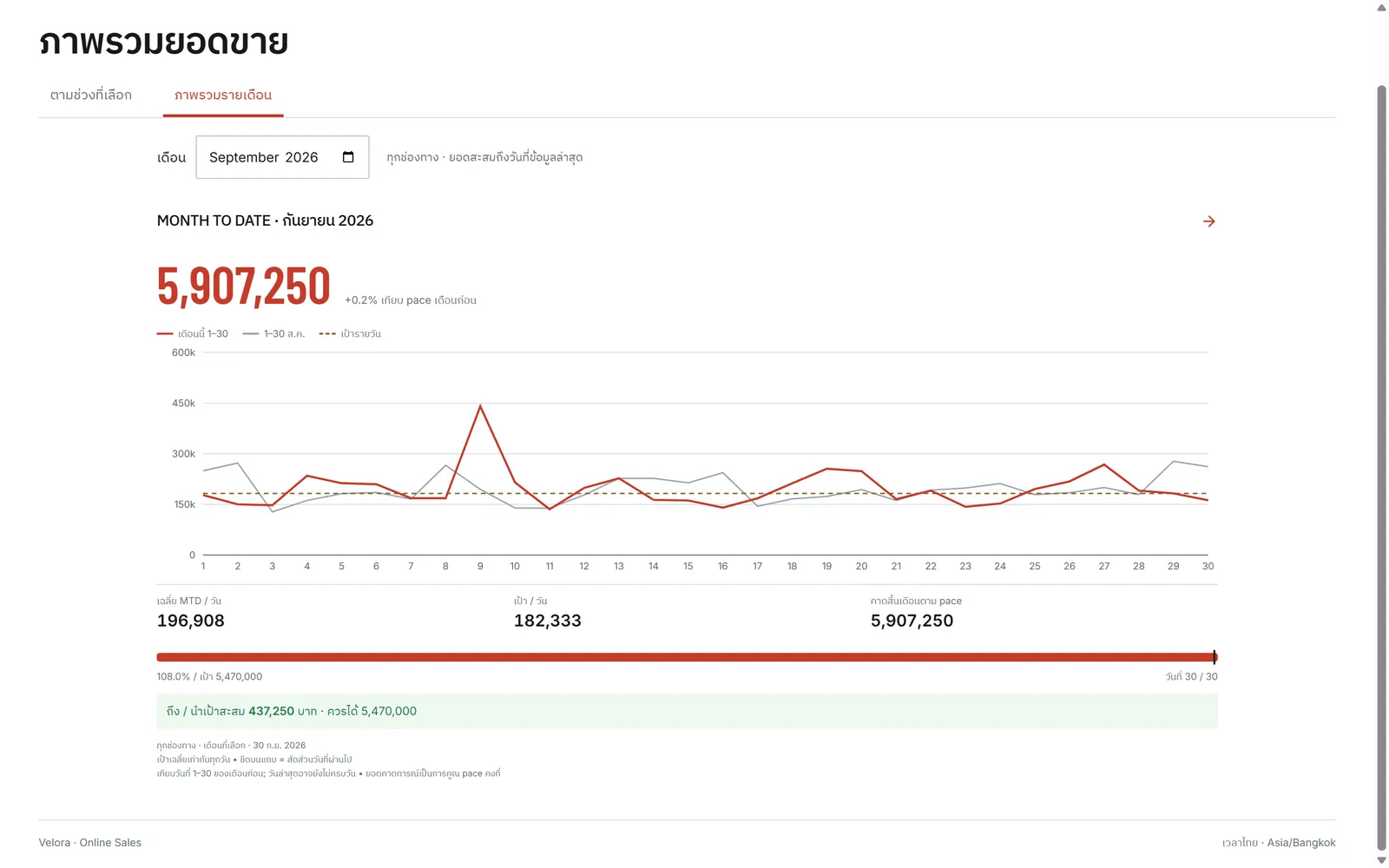
The month against target and against last month
Sales by hour, split by channel
Ask Amily in Thai
What I built
- 01
Against target, known by mid-month
Month-to-date sales against target and against last month's pace, by day or for any period you choose. Whether the month will reach its target is clear by mid-month, not at the end.
- 02
Which hour, which channel, which product
Sales by the hour, split by channel. Tap an hour to see which channels, categories and products sold in it, and time live sessions and promotions for when customers actually buy.
- 03
Orders as work queues
Delivered, waiting to ship, COD review, awaiting payment and cancelled, each a queue of its own. Open a queue to see its orders, how long they have waited and what has to be packed. The warehouse team knows the day's work at a glance.
- 04
Reports and Excel
Reports by channel, product and period, downloadable to Excel in one tap for whatever comes next.
- 05
Access by role
Admins, viewers and the warehouse each see what their job needs.
Where the AI works, and how it is kept honest
- Safeguard
Amily must cite every answer
Ask in Thai which channel sold best this month and how that compares with last month. Every answer says which report and which figures it came from, and the source is one tap away. Amily may not answer from memory.
- Safeguard
Built with Codex
I built this one entirely with OpenAI Codex. I choose the tool for the job rather than committing to one vendor.
The result
Before
The daily online sales summary meant waiting an hour for accounting
After
One screen shows every channel against target, hour by hour